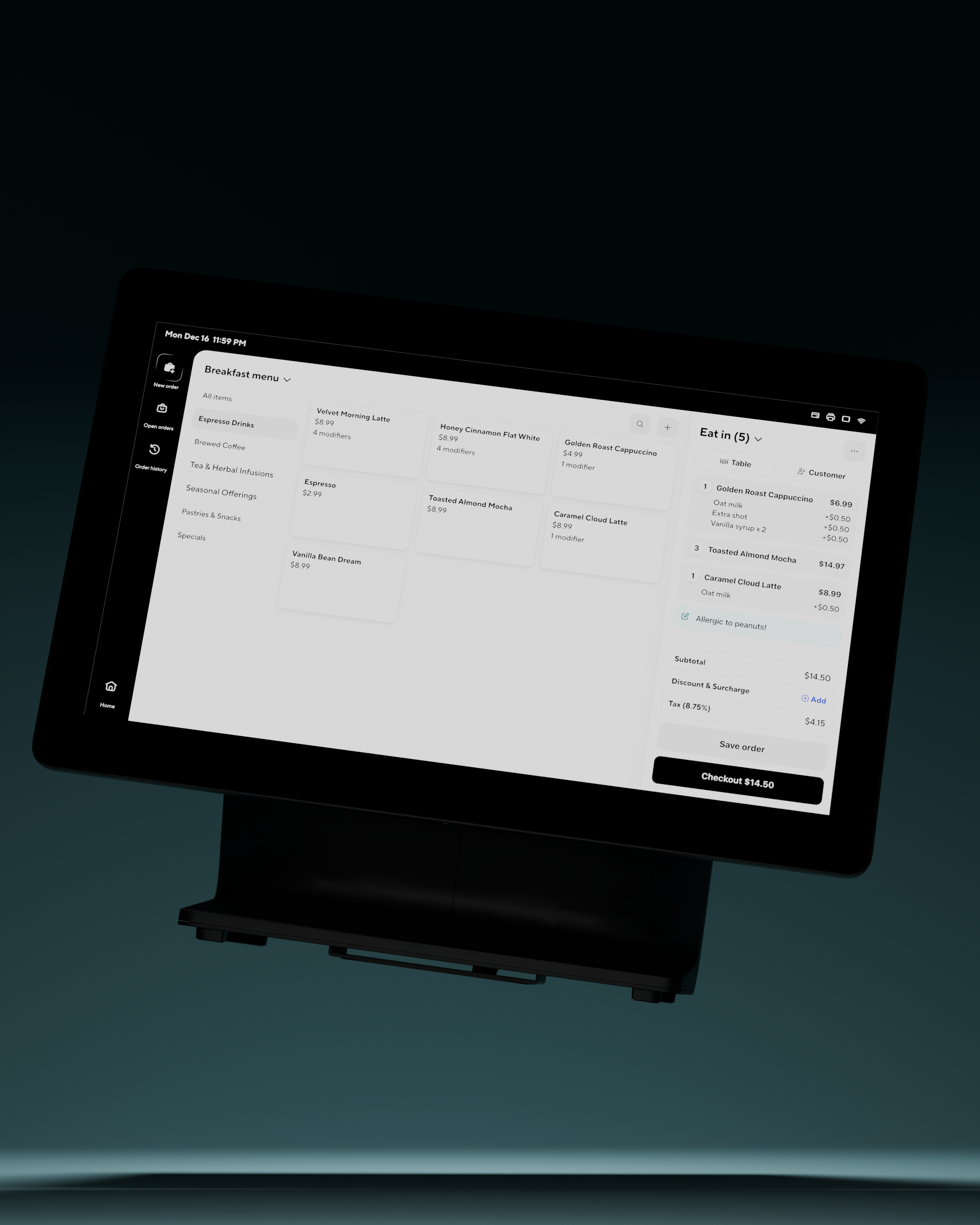
DoorDash Point of Sale
Designing a self-serve POS hardware experience for merchants
DoorDash’s point of sale initiative needed to shift from white-glove setup and support to a scalable self-serve experience. I worked alongside the infrastructure team to design device self-troubleshooting and setup experiences to reduce support inbound for easy-fix issues and reduce onsite setup time.
Key outcomes from merchant self-troubleshooting
printer failure rate
Total printer errors
“Yeah Will [support team manager] was the one to bring it up!! He was singing ur praises saying it was positive signal to build the same flows out for all the other auxiliary devices”
“We will use this as a positive signal for other helpful UI elements; troubleshooting UI features may help with simple errors on the POS, KDS, etc.”
“We could also look to expand the problems the UI can handle to further alleviate Support effort.”
Projects Overview
Printer self-troubleshooting experience
This case study focuses on printer self-troubleshooting, one of three self-serve hardware initiatives alongside printer setup and prep station setup.

Simple hardware issues were becoming support calls
70% of inbound support came from easy-to-solve hardware issues. Merchants struggled to find fixes and follow them.
Unclear entry point
Merchants didn’t know the status bar opened troubleshooting.
Easy-to-miss instructions
Small error messages were overlooked, according to Support.
Missing hardware guidance
Instructions didn’t show where switches and cables were, or what was safe to unplug.
Make fixes discoverable, then make them doable
The experience needed to surface issues proactively, guide merchants through their specific hardware, and clearly communicate when an issue was resolved.
1Proactive alerts with a clear next step
The original error message was easy to miss and offered no direct action. A prominent toast names the printer issue and provides a Troubleshoot button, giving merchants a clear next step.
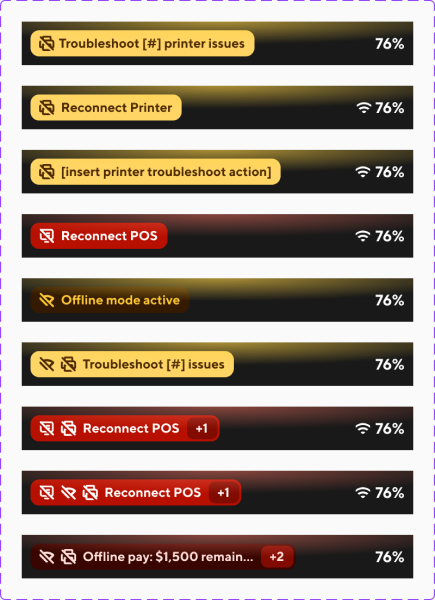
An actionable status bar with error severity weights built-in for faster troubleshooting
An action-oriented status bar button gives unfamiliar merchants a clear entry point while preserving the route familiar merchants already use.
Forty merchants had tapped the status bar more than 100 times in a month. The change needed to build on that behavior.
Carry the status bar logic across devices
The work extended beyond the POS prototype into troubleshooting documentation, custom hardware icons, and handheld status bar explorations.
Document the troubleshooting logic
Captured device errors, logical state changes, severity weights, and action-oriented labels in a shared logic document, including considerations for kiosks and kitchen displays.
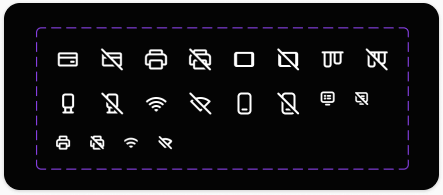
Identify hardware at a glance
Custom device icons distinguish hardware types and their error states within the compact status bar.
Adapt to handheld screens
Explored compact status bar treatments that preserve issue priority and a clear troubleshooting action alongside connection and battery indicators.
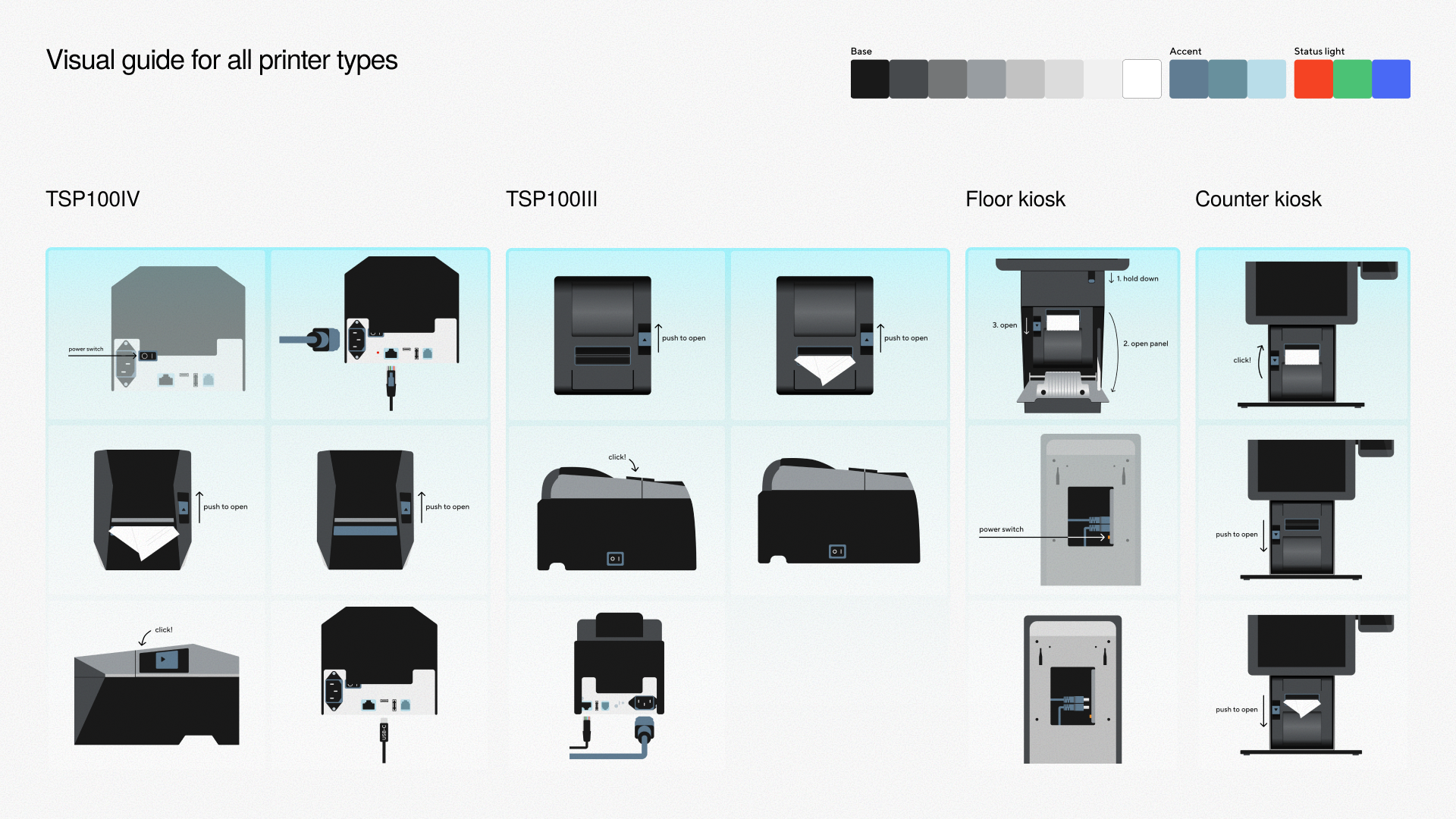
2Guidance that matches the hardware in front of you
A receipt printer, a floor kiosk, and a counter kiosk need different instructions. Printers had different network configurations such as Bluetooth/Wi-Fi, physical setups, and model types, with each having different ways of turning it on/off and accessing plugs.
Let merchants identify their specific printer configuration when the system can’t
Ideal scenario: pass device configuration and model along with error for lowest cognitive load on merchants


Accommodate infrastructure roadmap and networking bottlenecks

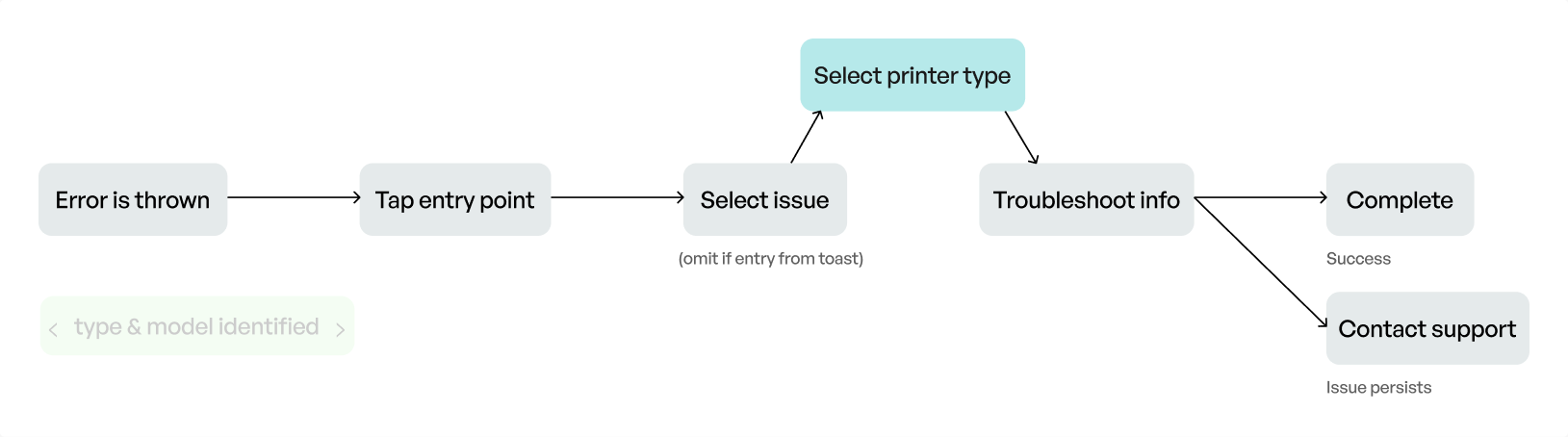
Merchant can self-identify the device they are troubleshooting
3Make status changes and next actions unmistakable
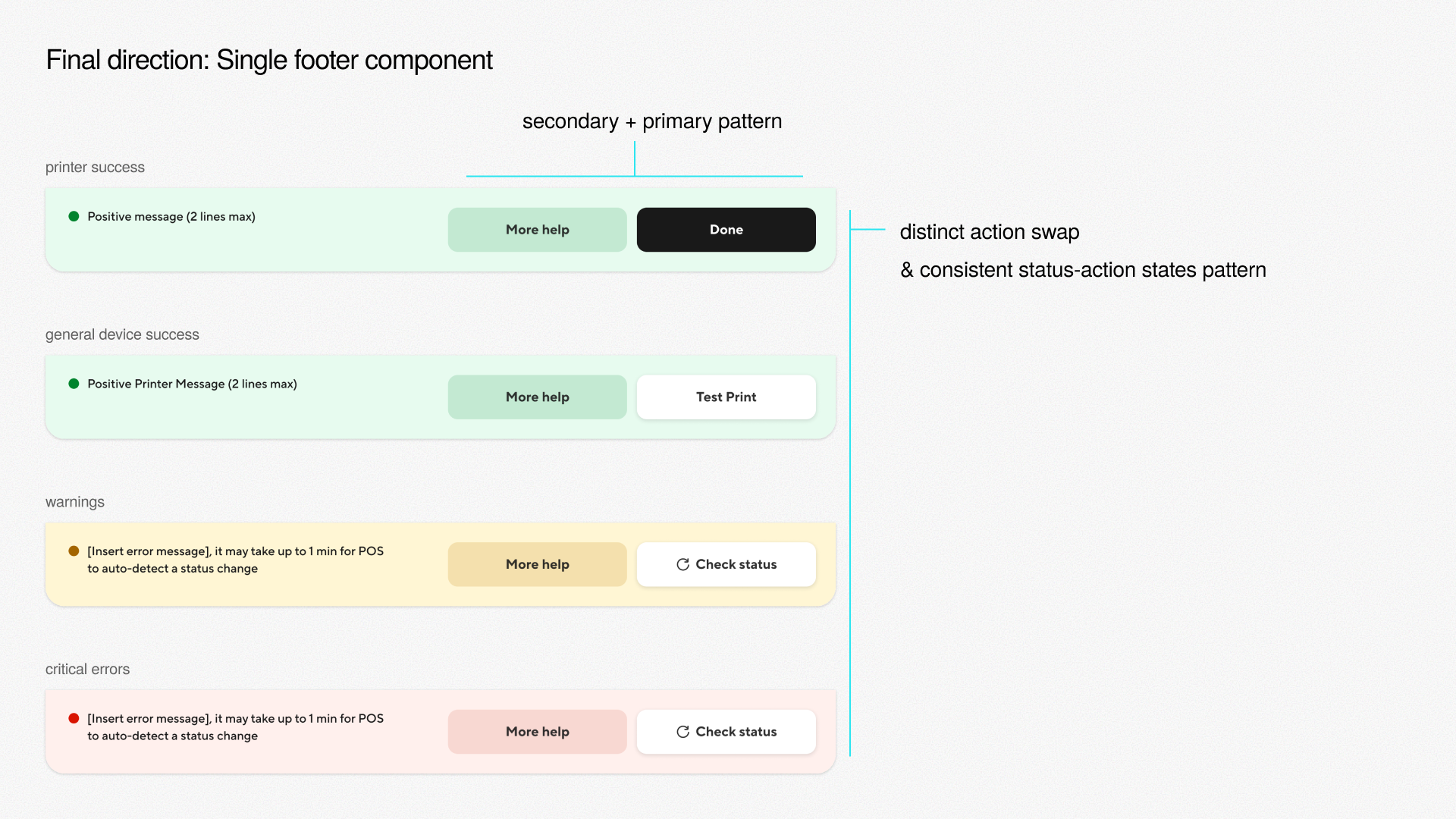
The primary action could be “Check status,” “Test print,” or “Done.” I explored how to communicate hardware status changes while keeping those actions predictable.
Status banner
The status and action felt connected, but the banner pulled attention away from the written guide and weakened the primary action.
Floating status toast
The gradient and toast made feedback noticeable, but a temporary component and clustered actions were a poor fit for persistent device status.
One footer component, a consistent status-action pattern
The final component keeps secondary and primary actions in a stable location. Distinct status treatments and action swaps make warnings, critical errors, and success easy to tell apart.
4The end-to-end experience
Merchants can enter through the status bar or a proactive toast, find guidance for their hardware, and see whether the issue is resolved. Support remains available when it persists.
Learnings
Think in frameworks that scale
Design interaction patterns, layouts, and error logic to extend beyond one device. A consistent status-action model made that system clearer.
Prototype, show, and ask sooner
Moving between prototypes, the canvas, and conversations surfaced questions I didn’t know to ask. Showing the work helped uncover gaps earlier.
Keep scope focused
Start with the immediate merchant problem and account for infrastructure constraints. Complexity will come; the first experience still needs to be clear.
Next steps
Measure support effort saved
Track support inbound volume, errors resolved on the troubleshooting screen, and hours Support spends on these issues through the Legacy POS feature flag.
Extend guidance to more devices
Build on the status bar’s error states and severity weights for kiosks, kitchen displays, and handhelds.
Continue toward self-serve setup
Develop the printer setup wizard and prep station setup explorations so merchants can configure hardware and kitchen routing from the POS.
Extra
First build on Legacy POS
Printer setup wizard
A first step toward self-serve, plug-and-play printer setup.
Prep station setup
Merchants rarely have a laptop on hand. This exploration brings kitchen routing setup directly to the POS.
Art direction